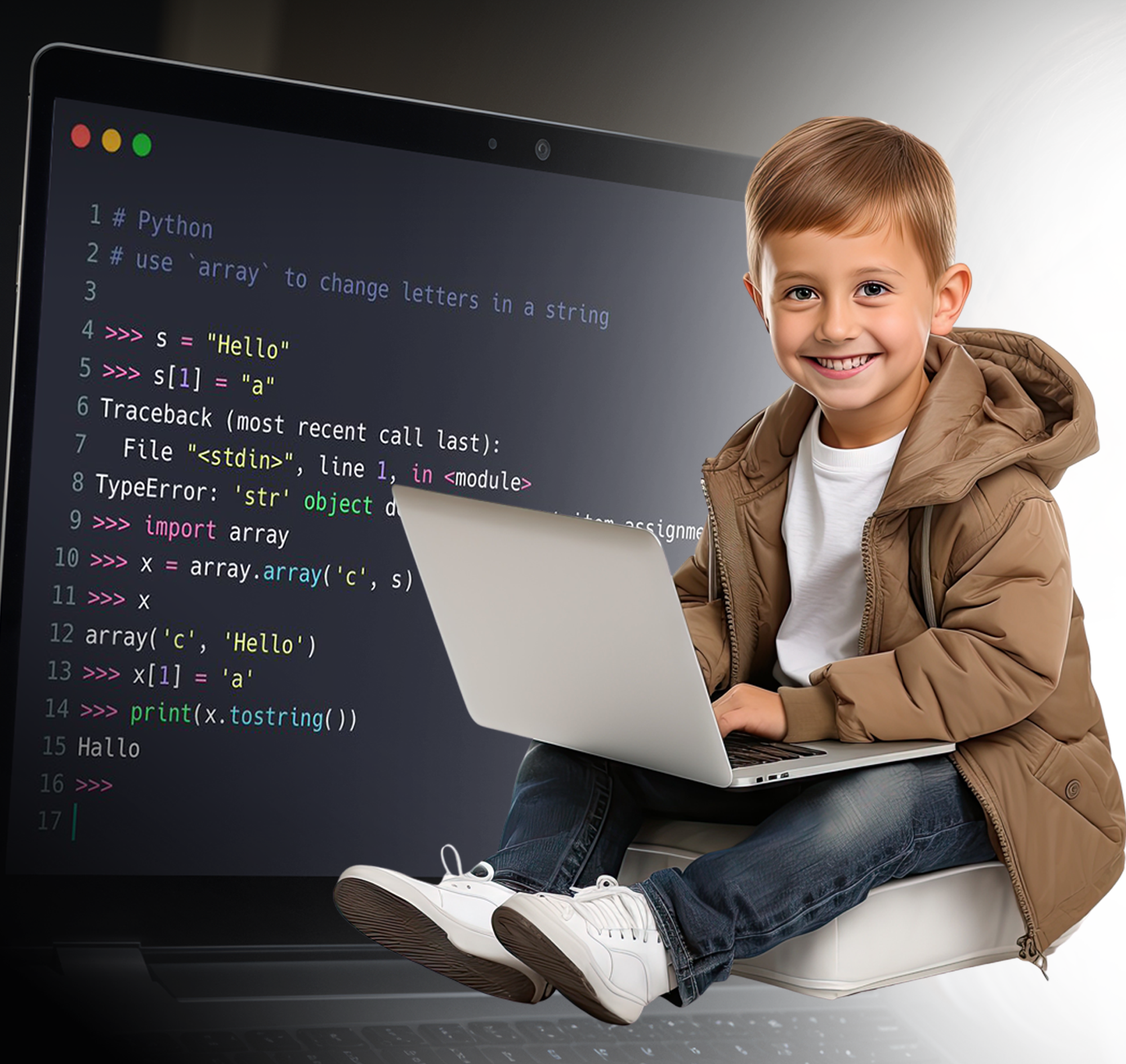
Our expert instructors work 1:1 with your child, guiding them from to brilliance in Scratch Game Development.
Tailored Lessons
Flexible Scheduling
Fun and Engaging Projects
Dedicated Instructors With Expert Knowledge

100's
OF SATISFIED PARENTS

3,000+
CODING HOURS TAUGHT

4 Yrs
PRIVATE 1:1 TUTORING EXPERIENCE
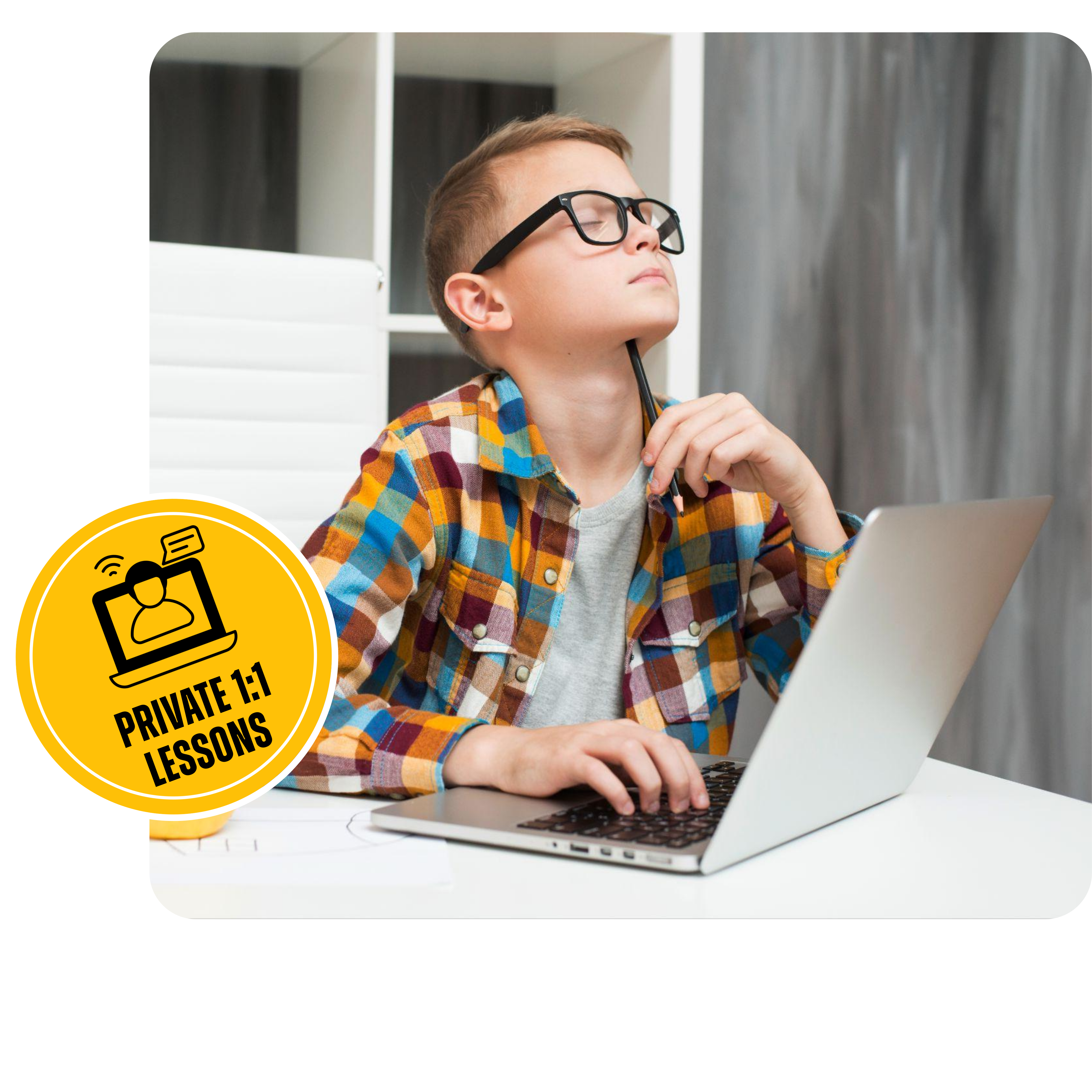
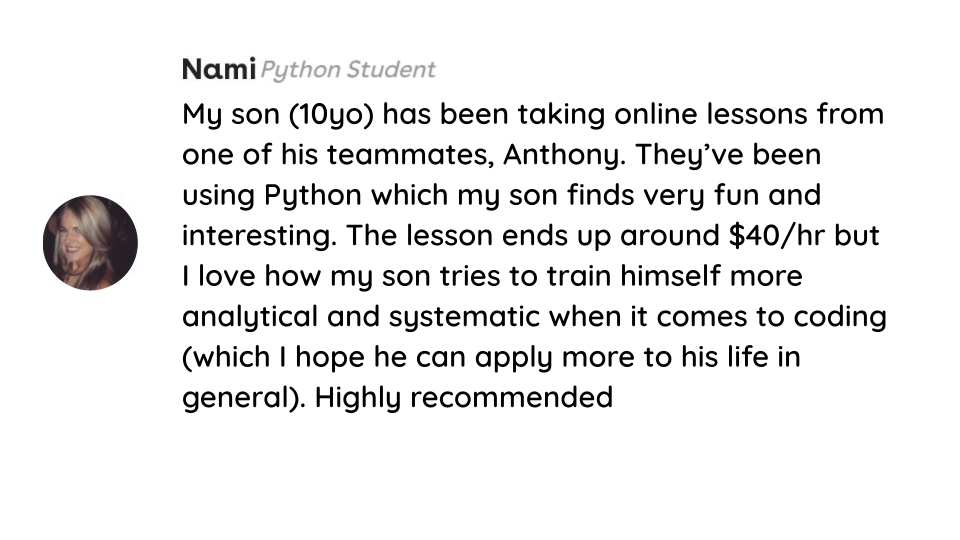
"My son (10yo) has been taking online lessons from one of their instructors, Anthony. They’ve been using Python which my son finds very fun and interesting. Highly recommended"
Nami, parent
Our tutors tailor each lesson to your child’s pace and needs, ensuring they understand every concept before moving on.
Because of their dedication the tutor becomes a mentor and a role model that understands and supports your childs needs and goals.
Spaces in our program are limited due to the personalized nature of our tutoring
Book a completely FREE 10 minute call
Our Elite Classes

1:1 Lessons
Private 1-on-1 tutoring ensures that the lessons are tailored to your child's unique learning style. Lessons are adapted to their learning needs, making it easier to grasp complex concepts.

Immediate feedback
Our tutors offer instant feedback and assistance, helping your child correct mistakes and understand concepts more quickly. This keeps students motivated and engaged in the learning process.

Flexible Scheduling
We understand that family schedules can be hectic. Classes are available Mondays through Sundays and can be rescheduled. So that students enjoys a better balance between coding, hobbies, and rest.
Learn at your own rhythm
Students can take between 1-3 classes per week based on their schedule, allowing them to feel less stressed with a plan that adapts to their natural rhythms and busy lives.

Engagement and Focus
With the undivided attention of a tutor, children are more likely to stay engaged and focused during the lessons.

Strong Mentor Relationship
A private tutor can serve as a mentor and role model, offering not just academic guidance but also encouragement and support. This relationship can inspire the child to pursue their interest in programming more passionately.

Weekly Performance Reports
Stay updated on your child's progress with ease. You can contact the instructor, join classes anytime, and receive weekly progress reports. Keeping your mind at ease.

Budget-Friendly Rates
Experience the best value in private coding tutoring! Our lessons are exceptionally priced, starting at just $40 USD per hour, making us a leading affordable choice in the field.
What Parents Think of us
Course Curriculum
Phase 1: Starting From Scratch
Level 1: Setting Things Up and Understanding the Basics
How We Built Our Course Curriculum
Our course has been carefully developed over the years, learning from our experiences and feedback, to give kids the best learning experience. We keep updating it to stay current, but we always stick to our core principles of teaching Python programming in a fun and engaging way, helping children build a strong foundation for a successful future.
These are our principles:
Doing > Watching this is why we have challenges at with every lesson
Understanding WHY we're doing is as important as the HOW we are doing it
Programing is better when it's done in the most FUN way possible
Slowly building a solid foundation is better than quickly building on quicksand
Project 1: Basic Blocks
Your child will create a Scratch account, explore the community, and start their coding journey. They'll learn to control sprites and use advanced features like generating clones, making their projects more dynamic and engaging.
What Your Child Will Learn
By the end of this project, your child will have a solid foundation in Scratch programming. They’ll understand how to:
Create and manage their own Scratch account
Write basic scripts to control sprites
Use loops and conditionals to make their projects interactive
Generate clones to create more dynamic animations and games
A Fun Introduction to Game Development for Kids
Your child will dive into game development by creating a classic Pong game in Scratch. They'll learn to design game mechanics, move platforms, control the ball, and implement scoring. This project will make their coding journey exciting and interactive.
What Your Child Will Learn
By the end of this project, your child will have a solid foundation in Scratch programming. They’ll understand how to:
Design and implement game mechanics
Use coordinates to move platforms
Control directions and movement of the ball
Create variables for scoring and finish the game
A Creative Coding Adventure for Kids
Your child will create a fun and interactive paint application in Scratch. They'll design their own sprites, program a functional pencil tool, and add exciting features like buttons and a magic wand, making their coding journey both creative and educational.
What Your Child Will Learn
Design and create custom sprites
Program interactive tools like a pencil
Use buttons for functionality
Implement creative features like a magic wand
Level 2: Creating More Complex Games
An Exciting Coding Challenge for Kids
Your child will embark on a thrilling adventure by creating a "Shoot the Monster" game in Scratch. They will program game starts, prepare characters, create challenging levels, and add exciting features like time-bombs and monster attacks, making their coding journey dynamic and fun.
What Your Child Will Learn
Design and implement game mechanics
Program player and monster interactions
Create multi-level challenges
Add dynamic features like attacks and time-bombs
Program winning conditions
A Fun Coding Challenge for Kids
Your child will create their very own Flappy Bird game in Scratch. They will program game starts, menus, and environments, add gravity to the bird, create obstacles, and display scores, making their coding journey engaging and rewarding.
What Your Child Will Learn
Program game mechanics and environment
Add physics elements like gravity
Create and manage game obstacles
Display and update scores
Implement game restart and winning conditions
Level 3: Advanced Scratch Project
A Challenging Coding Adventure for Kids
Your child will recreate the classic Pac-Man game in Scratch. They will control Pac-Man, program ghost movements, manage lives and scoring, and create an engaging multi-level game, making their coding journey both challenging and fun.
What Your Child Will Learn
Program complex character movements
Create autonomous sprite behaviors
Manage game mechanics like lives and scoring
Design multi-level gameplay
Implement interactive game elements like dots and ghosts
Phase 2: Learning Python Coding
Level 1: Getting Familiar With Coding
How We Built Our Course Curriculum
Our course has been carefully developed over the years, learning from our experiences and feedback, to give kids the best learning experience. We keep updating it to stay current, but we always stick to our core principles of teaching Python programming in a fun and engaging way, helping children build a strong foundation for a successful future.
These are our principles:
Doing > Watching this is why we have challenges at with every lesson
Understanding WHY we're doing is as important as the HOW we are doing it
Programing is better when it's done in the most FUN way possible
Slowly building a solid foundation is better than quickly building on quicksand
To write Python, we need to have Python installed on our computer. We also need a program called an IDE that allows us to write Python scripts. So, here's what we're going to do.
Download Python
Download IDE (software to write code in)
Create our first project
And talk about the course
We start off with the very basics of Python. We learn to understand the print function, create variables and use them, and do a bit of math.
Calculating Numbers in Python
Using the print() Function
Arithmetic Operations in Python
Creating Variables in Python
In this section, we're delving deeper into Python and starting to understand how we can manipulate data. We'll learn about different tools like lists, tuples, and dictionaries.
Understanding Strings
Working with Strings
Lists in Python
Manipulating Data
Tuples in Python (Similar to Lists)
Advanced Data Tools: Dictionaries
Now, it's time for a bit of fun. Instead of typing code the whole time that just prints text, we're going to use code to draw fun shapes on our screen using a turtle. Yes, a Turtle.
Importing Turtle Modules
Creating Objects
Drawing Cool Shapes with Code
In this section, we focus on asking questions and having code execute only if certain conditions are met. There are substantial complexities to these conditions.
If Statements in Python
Using Operators for Comparison
Diving Deeper into If Statements
Working with Complex Conditions
Getting User Input
Converting Strings to Integers
Level 2: Achieving a Solid Understanding
When it comes to programming, one of the most important tools is loops. We've already explored loops in Scratch, but now we're going to delve deeper and see how they make our life as programmers much easier and allow us to write more complex code.
For Loops in Python
Understanding the range() Function
Converting Objects to Lists
Ranges with a Step
For Loops Over Lists
Nested Loops
While Loops
At this point, our code is becoming a bit too complicated and lengthy. To manage this complexity, we need to start separating it into different layers, rather than having one large piece of code. We achieve this by using functions.
Defining Functions in Python
Using Parameters and Arguments in Functions
Calling Functions
Returning Values from Functions
Understanding Variable Scope
At this stage, our programs are growing more complex, and it's time to organize our code more effectively. Instead of handling everything with basic functions and variables, we can start grouping related data and behaviors into classes and objects. This approach allows us to create more structured and manageable code, making it easier to build and maintain larger programs.
Defining Classes
Inheritance in Python
Adding Methods to Classes
Understanding the self Parameter
Working with the __init__() Constructor
Level 3: Advanced Coding Understanding
Now it's time to use the tools we've learned, like if statements and for loops, to draw more complex shapes with Turtle. This section will be more challenging than the first Turtle section, but it's also more fun because we have a lot more tools at our disposal.
A Refresher on Using Different Functions in Turtle
Using Loops to Draw with Turtle
Applying If Statements for Fun Images
Drawing a Car
Coloring Objects
Filling Our Drawings
We've been drawing graphics using Turtle, and while it's fun, in the real world, graphics need to be drawn much more quickly. This is where Tkinter comes into play. We'll learn how to draw shapes on our screen instantaneously, and this is where we begin creating applications in Python.
Importing the Tkinter Module
Creating Buttons
Drawing on Canvas
Adding Colors
Drawing Arcs and Polygons
Displaying Text and Images
Basic Animations
Making Objects React to Events
Level 4: Exercises and Projects
It's time to apply the knowledge we've gained so far and create a project using Python code. While this project might not be as visually impressive as the ones we made in Scratch, it introduces more complexities and will open the door to even more exciting projects in the future.
Setting Up the Canvas for Drawing
Adding Ball Movements
Creating the Paddle
Bouncing the Ball Off the Paddle
Adding a Score to Win or Lose the Game
Phase 3: Advanced Professional Python Coding
Level 1: Revisiting the Basics in More Depth
How We Built Our Course Curriculum
Our course has been carefully developed over the years, learning from our experiences and feedback, to give kids the best learning experience. We keep updating it to stay current, but we always stick to our core principles of teaching Python programming in a fun and engaging way, helping children build a strong foundation for a successful future.
These are our principles:
Doing > Watching this is why we have challenges at with every lesson
Understanding WHY we're doing is as important as the HOW we are doing it
Programing is better when it's done in the most FUN way possible
Slowly building a solid foundation is better than quickly building on quicksand
Section 1:Introduction (4 lessons)
Get essential setup instructions and expert tips to easily navigate the course. Learn how to set up your environment, tackle fun challenges, and make the most of your learning experience in this easy-to-follow introductory section.
Download Python
Download IDE (software to write code in)
Create our first project
And talk about the course
Section 2: Building The Foundation (18 Lessons)
We build a strong foundation for your child's future projects, covering essential Python and programming concepts. By exploring how coding works, your child will gain a clear understanding of its basics and principles.
Our first program
Printing in Python
String and Special Characters
Creating Variables
String Data Types
Handling Data Using Various Slicing and String
and string operators
Section 3: First Steps In Python (14 Lessons)
We explore the core elements of coding: blocks and statements. These are the foundation of Python and programming as a whole. Your child will understand how code runs using parameters and different expressions, gaining a comprehensive understanding of how it all works.
Introduction to Blocks and Statements
if statements, elif statements and else
Debugging in IntelliJ
Testing Operators
Complex Expressions AND / OR
Simplified Chained Comparison
Truth Value Testing
Using "in" and "not in"
Section 4: Loops In Python (18 Lessons)
Many children face challenges with Python loops, which can seem intimidating. However, with a solid foundation and our exceptional explanations, your child will navigate examples with ease. Each challenge is designed to maximize their understanding and knowledge.
Introduction To for loops
Debugging Loops
for loops over a Range
Nested Loops
Using Break and Continue in Loops
Introduction To while loops
else Statements in loops
Section 5: Data Handling Using Lists (25 Lessons)
In this section, we focus on essential data handling and manipulation in Python. Using its versatile libraries, your child will learn fundamental structures like lists. With a solid foundation, we use project-based approaches to enhance and apply their newfound knowledge.
Introduction to Sequence Types
Mutable and Immutable Objects
Iterating Over a List
The enumerate Function
Removing Items from a List
Creating and Sorting Lists
Safely Deleting Items From a List
Nested Lists
Level 2: Intermediate Topics Explored in More Advanced Ways
Section 6: Functions In Python (16 Lessons)
This section marks an important milestone in your child's Python journey, as they reach the intermediate level. They will explore the transformative power of functions, learning to break down code into modular components. Mastering functions is crucial for efficient and dynamic coding. With focus and patience, your child will excel in this essential lesson.
Defining Functions in Python
Parameters and Arguments
Debugging Our Parameters
Functions Calling Functions
Returning Values and None
Handling Invalid Arguments
Default Parameter Values
Writing a Fibonacci function (mini project)
Function annotations and type hints
Star Args (*args)
Section 7: Object Oriented Python (24 Lessons)
Object-Oriented Programming (OOP) is crucial in modern applications and programs. Despite its intimidating reputation, we simplify every aspect for your child. Through 2-3 mini projects, your child will gain confidence and be well-prepared to transition to any programming language seamlessly.
Object Orientated Programming and Classes
Instances, Constructors, Self and more
Class Attributes
Methods and Static Methods
Attribute Accessibility
Getters and Setters
Data Attributes and Properties
Inheritance
Subclasses and Overloading
Section 8: Data Handling Using Dictionaries (23 Lessons)
Welcome back to the world of data handling. In this section, your child will explore powerful Python tools: dictionaries and sets. While these are more complex than lists and tuples, they offer unmatched flexibility in data manipulation. Our step-by-step approach makes these concepts easily comprehensible, allowing your child to expand their skills and unleash new possibilities.
Introduction to Dictionaries
Iterating over a Dictionary
Adding, Changing and Removing Items to a Dictionary
Computer Building (mini project)
Creating, Updating and Values Dictionaries
Shallow and Deep Copy with Dictionaries
Level 3: Practical Real World Skills in Python
Section 9: Reading and Writing Files (18 Lessons)
In the advanced stage of Python, your child will learn to work with external files. They will master file handling, whether local or streamed, and dive into various file types. With multiple examples and tests, your child will sharpen their skills and gain essential file reading and writing proficiency, solidifying their future career prospects.
Opening, Reading and Parsing Text Files
Parsing and Using Data from a Text File
Writing Data to a Text File
JSON files 101
Streaming JSON Files Using urllib
Section 10: Database Implementation In Python (29 Lessons)
While mastering Python, your child will also be introduced to SQL—a powerful language. Acquiring SQL skills complements their Python knowledge and empowers their journey in data analysis, science, or AI development. Our comprehensive approach to database management demystifies SQL, allowing your child to explore the captivating world of data manipulation.
Databases 101
SQLite 101
UPDATE, DELETE and WHERE
Database Administration
ORDER BY and JOIN our Tables
LIKE Wildcards and creating Views
Restoring Backups and Function
Database SQL in Python
Committing Changes
Level 4: Exercises and Projects
Section 11: Python Exercises (10 Exercises)
Dive into Python with 10 exercises designed to enhance your skills.
Exercise 1: Number Guessing
Exercise 2: Summing Numbers
Exercise 3: Pig Latin
Exercise 4: Lists Exercise
Exercise 5: Dictionary Login System
Exercise 6: Function Inventory System
Exercise 7: Functions and Files Inventory System Continued
Exercise 8: OOP Banking System
Exercise 9: Library Management System
Exercise 10: Restaurant Menu Manager
Project 1: Mastermind
While mastering Python, we introduce SQL—a powerful language. Acquiring SQL skills complements your Python knowledge, empowering your journey in data analysis, science, or AI development. Our comprehensive database management approach demystifies SQL. Explore the captivating world of data manipulation.
What you will learn:
Advanced Python programming techniques.
Complex problem-solving skills.
Code design and organization.
Strategic thinking and planning.
Debugging and testing code effectively
Building a Caesar Cipher with GUI in Python
Learn to build a Caesar Cipher in Python, enhanced with a Tkinter GUI for user-friendly interaction. This project covers user input validation, string manipulation, and basic GUI elements, providing a practical introduction to encryption and application development.
What you will learn:
Variables and Constants
User Input and Validation
Conditional Statements
For Loops and While Loops
Conditional Statements
String Manipulation and Encryption Logic
Decryption Addition
Modular Coding
Graphical User Interfaces Using TKinter
Project 3: Tic Tac Toe
In our advanced stage, your child will work on an exciting Tic Tac Toe project with AI. This project helps them strengthen their Python skills and introduces them to artificial intelligence. With clear guidance, your child will understand code design and strategy, preparing them for future programming tasks. The Tic Tac Toe project is both educational and enjoyable, keeping your child engaged and growing in their coding journey.
What they will learn:
Advanced Python programming techniques.
Fundamentals of artificial intelligence.
Effective code design and organization.
Strategic thinking and AI implementation.
Techniques for debugging and testing code.

Copyright © 2022 ALL RIGHTS RESERVED
Privacy Policy
Terms of Service


Book your FREE
Strategy Session NOW
In this session we will:
Evaluate your grasp of Python knowledge
Describe to you our teaching process
Create a tailor made program fit for you
Your email address is 100% secure